
This is your 1C Senior Developer certification manual. Follow these steps to pass your certification:
STEP 1: Run 1C:Enterprise
To run 1C:Enterprise, double-click this icon on your desktop.

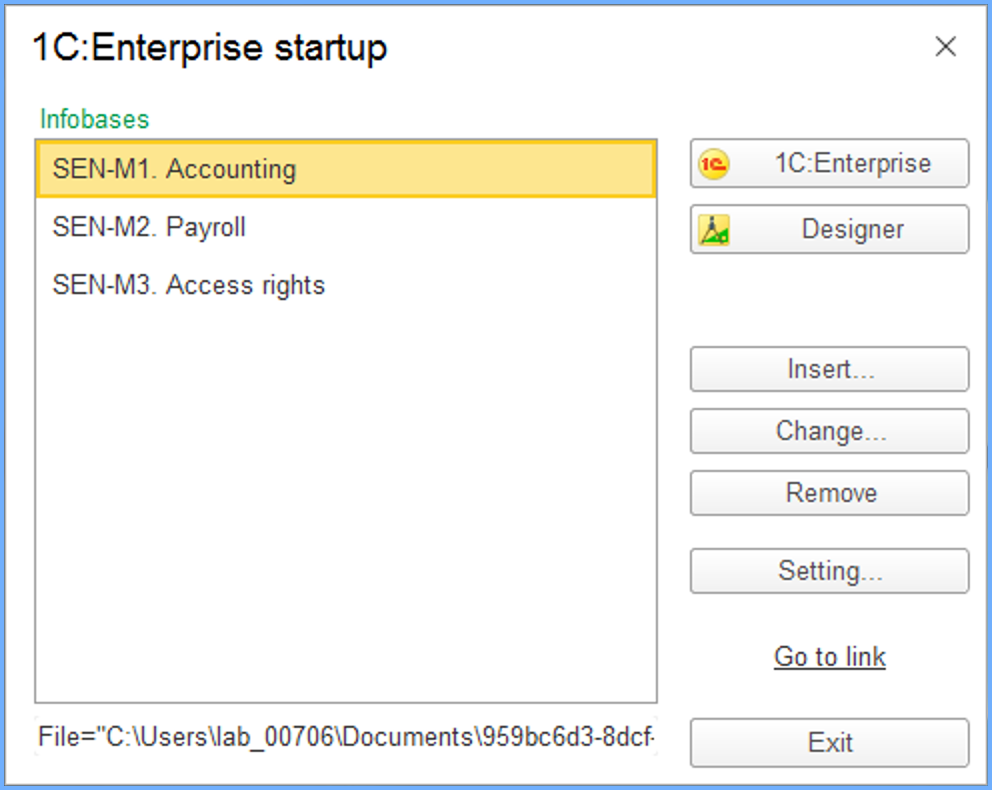
STEP 2: Select a test from the list of 1C:Enterprise infobases
The certification consists of three tests - one for each module of the 1C Senior Developer course. You need to pass all tests to get the 1C Senior Developer certification. Each of the tests is passed in its own separate infobase.
This is what you are choosing here.
STEP 3: Implement the solution
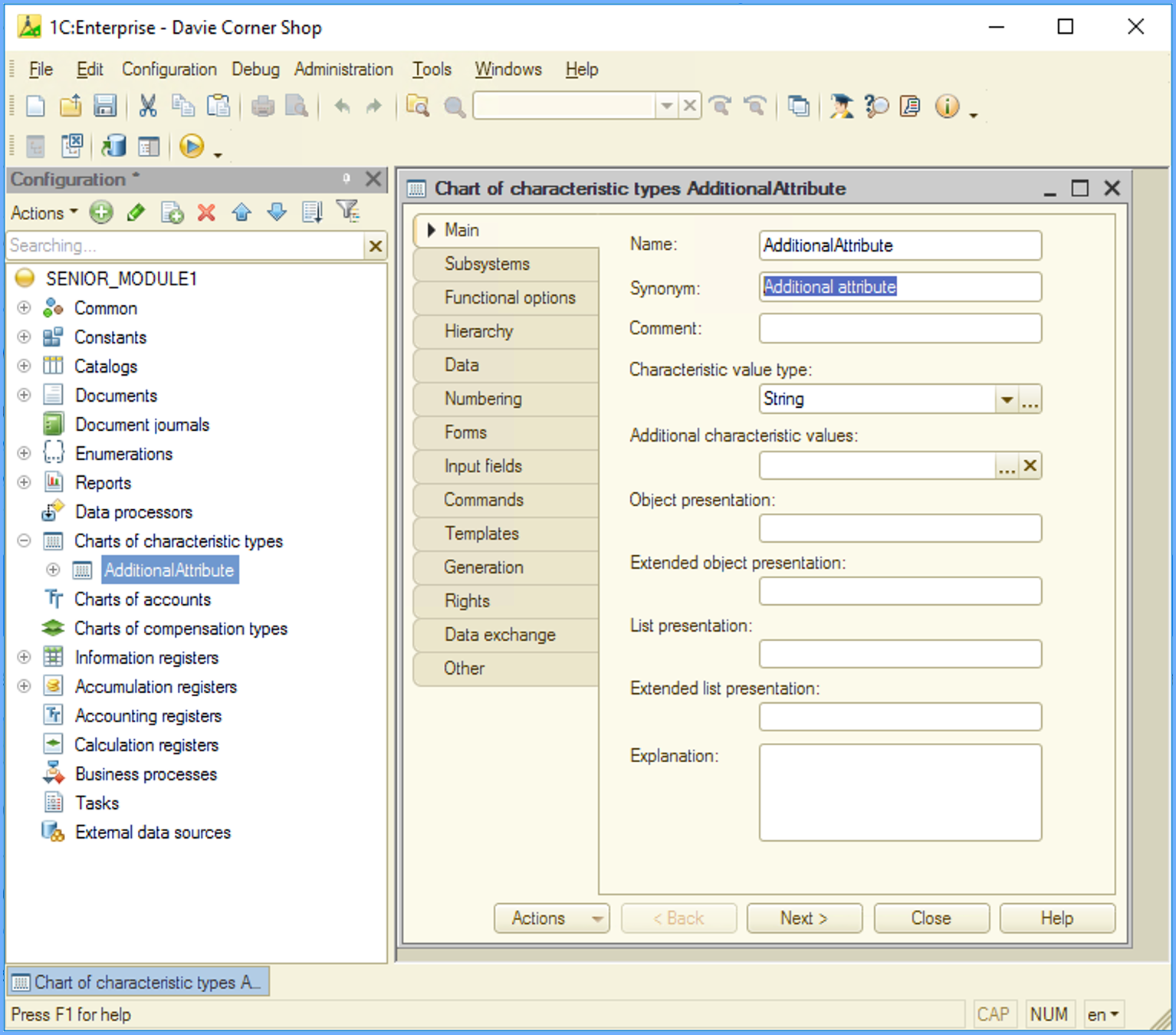
Open the Designer by clicking the Designer button. This is your working place.
Implement the functionality according to the requirements for this specific test. The detailed test requirements can be found on your Dashboard, that will be automatically opened as soon as you login to the Laboratory. At the top of the Dashboard page you can find a link to a Model application. The Model application has implemented all the necessary functionality listed in the task specifications. Please, refer to the Model application to better understand the functionality you need to implement.
While implementing your solution, do not change or delete any objects with names starting with SYS or TST. Otherwise, the test won't be checked successfully, even if implemented correctly.
STEP 4: Check your solution
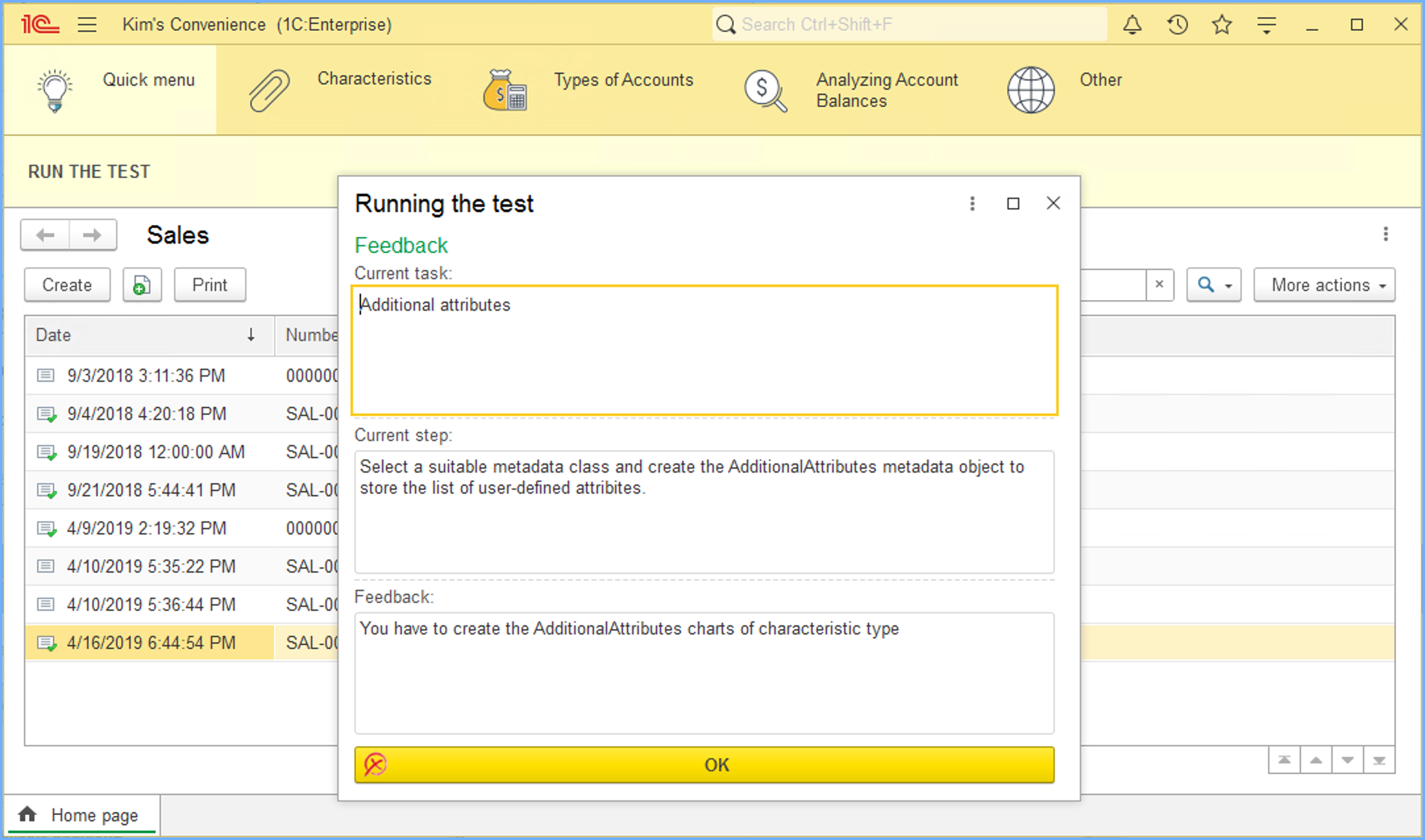
To check your solution, run the application, and click the RUN THE TEST button. The test auto-checker will check if your solution meets all the requirements and give you detailed feedback if it's not.
Many requirements are name-sensitive, so pay attention to the exact names you need to use.
STEP 5: Fix mistakes
I know you won't make any mistakes. But if you accidentally do, don't worry. You will get detailed feedback explaining what exactly went wrong.
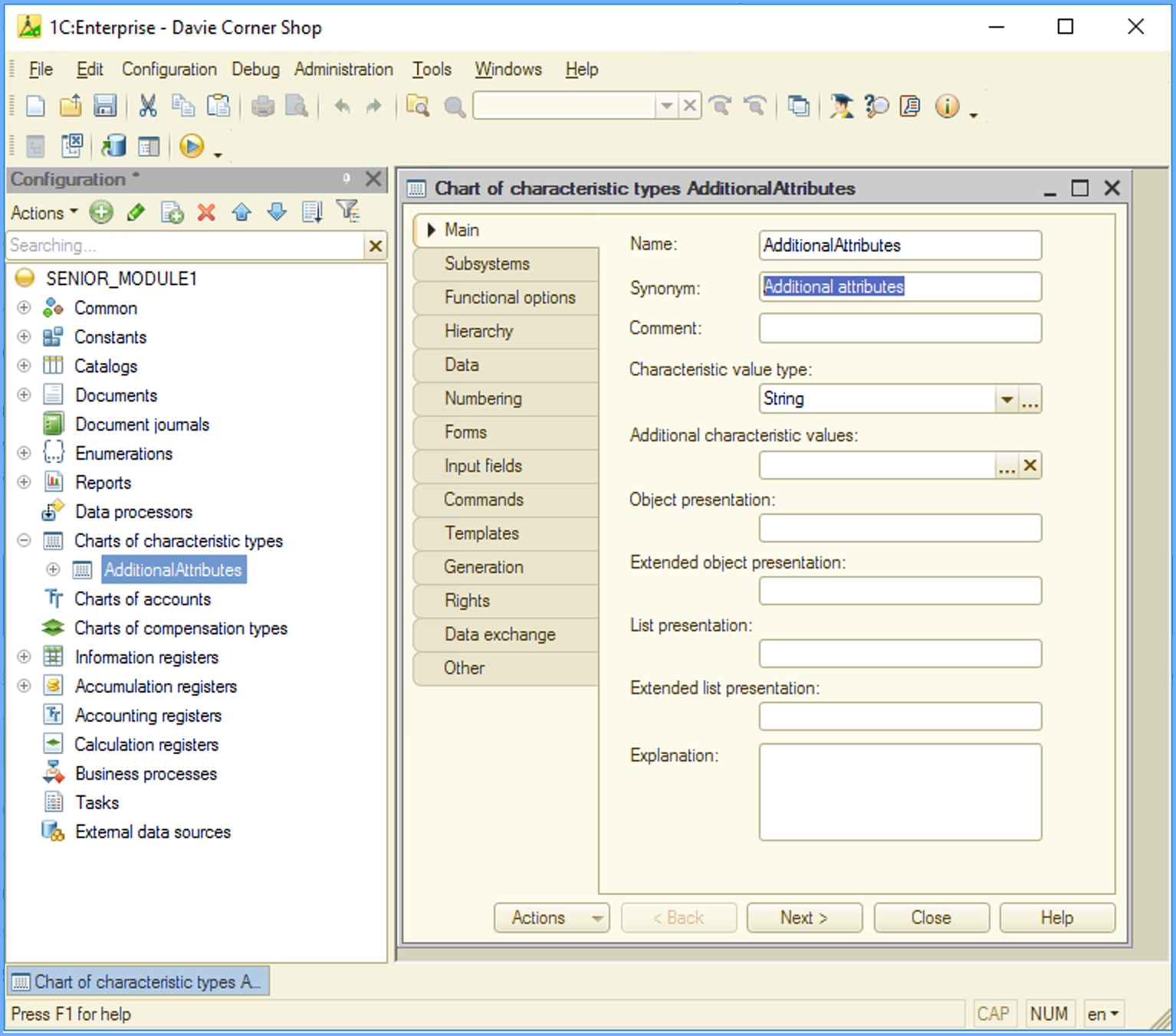
Just go back to the Designer, check your implementation, and fix the error. Then re-run the application and click CHECK THE TEST once again.
There is no limit on the number of checks you can run, so repeat steps 3 to 5 as many times as you need.
STEP 6: Move on to the next test
As soon as your solution meets all the requirements, you will get this feedback.
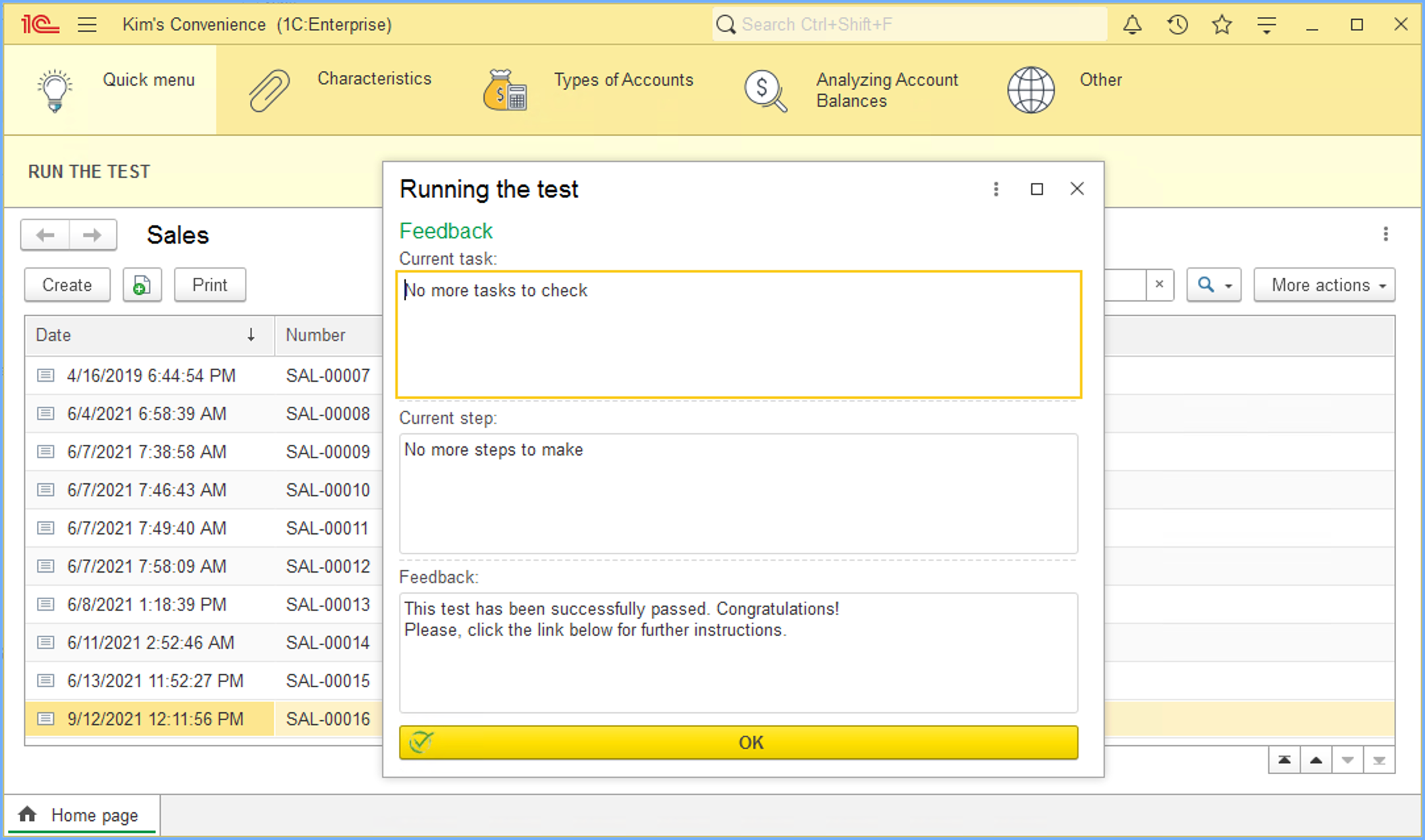
It means that your work here is done. This certification test is successfully passed, and you don't need to do anything in this infobase anymore.
Close the application and the Designer and move on to the next infobase and the next test on the list.
7. Pop up some champaign!
Done with all the tests? Congratulations! You are officially a certified 1C Senior Developer now.
Close the RDP connection, and go celebrate!